A wedding stationery checklist should begin with guest questions: when is the celebration, where should they go, how should they reply and where should they sit? A coordinated digital set can answer those questions without requiring every decorative item shown in a bundle preview.
Use this checklist to choose the files first. You can prepare and proof digital stationery on screen, then agree physical specifications with a print provider later.
Make a minimum set for your actual event
Not every wedding needs a printed save the date, separate details card and individual menu. Decide how each piece will be delivered and what it adds.
| Piece | Main job | Keep it when |
|---|---|---|
| Invitation | Names, date, time and location | It is your main event announcement |
| Details card | Directions or additional logistics | The invitation would otherwise become crowded |
| RSVP instructions | A clear way to reply | You need confirmed attendance or meal choices |
| Save the date | Early notice | Guests need advance travel planning |
| Table number | Identify the table | You assign tables and guests need to find them |
| Place card | Identify an individual seat | You assign seats within each table |
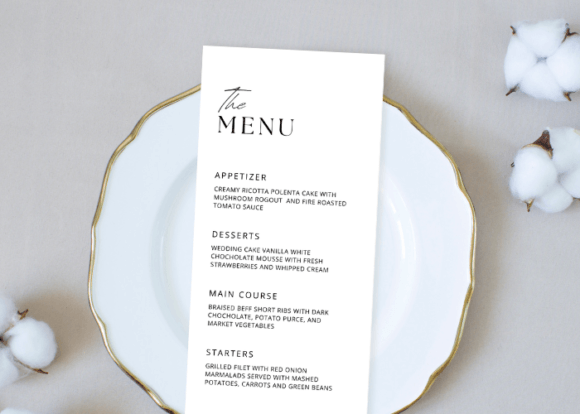
| Menu | Explain the meal | A menu helps guests understand the service |
| Favor tag | A small personal note | You are giving favors and want a short message |
This is a design planning tool, not a rule about what a wedding must include. A smaller useful set is easier to keep accurate than eight unnecessary files.
Keep one master details sheet
Before editing templates, make a document with the exact approved spelling of both names, the event date, venue wording, address, reply method and reply deadline. Add the table naming scheme once it is confirmed. Copy from that document into every design.
If one card says “The Glass House” and another says “Glasshouse,” resolve that difference in the source sheet first. Give one person responsibility for approving changes so a helpful correction does not leave half the files outdated.
Keep private guest addresses and dietary requests out of public design previews. Use fictional names while sharing a layout for feedback.
Choose a coordinated template or build around one accent
The Wedding Invitation Canva Template Set below is an eight-piece cotton-flower direction. The creator lists invitations and table numbers at 5 × 7 inches, smaller information cards, favor tags, place cards and a 4 × 9 inch menu. Confirm the exact size of the piece you will use rather than assuming every page matches the invitation.
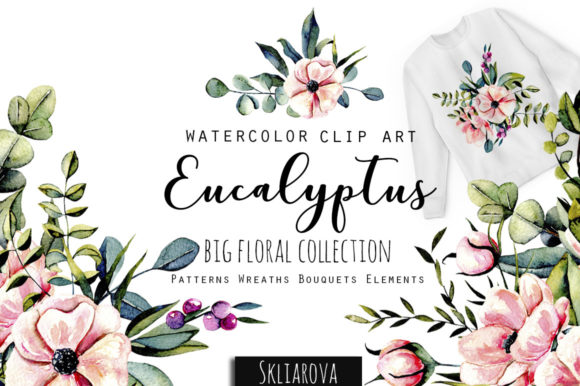
For a custom direction, a botanical PNG collection can provide a repeated accent, but you must build the layouts yourself. Our greenery card layout guide explains that approach. A clipart collection is not interchangeable with an editable stationery suite.
Neither route guarantees that all fonts and decorative elements work in your account. Open the creator’s instructions and check the requirements before committing the whole set.
Repeat a few decisions across the set
Use the same spelling, one main text color, one decorative lettering style and one supporting typeface. A favor tag may omit the floral border so the names have enough room; coordination does not require shrinking the entire invitation onto a tiny card.
Test the longest name on a place card and the longest dish description on a menu. Check whether a listed place-card measurement refers to a flat piece or an unfolded tent card. A flat layout does not become self-standing merely because the mockup shows a folded card.
Continue with favor tag wording and menu wording when those pieces are part of your set.
Approve files in a useful order
- Confirm names, date and venue before finishing the invitation.
- Confirm the reply route before distributing an RSVP card.
- Confirm attendance and seating before finalizing place cards.
- Confirm meal wording with the caterer before exporting menus.
- Ask the printer for dimensions, bleed, color and delivery requirements before ordering.
Keep editable originals and approved exports in separate folders. A file name such as menu-2027-06-12-approved-v2.pdf is more useful than final-final-new.pdf. Reopen the export and inspect the details rather than treating an attractive mockup as proof that the production file is correct.
Files to explore for this project
Affiliate links: if you purchase through these links, we may earn a commission. How this works
Selected from the creators’ listing descriptions, checked October 22–23, 2026. We have not downloaded or hands-on tested these products. Product images below are previews from the creators’ listings. They may show physical styling props; the linked products are digital downloads. Check current access terms and the license on Creative Fabrica.
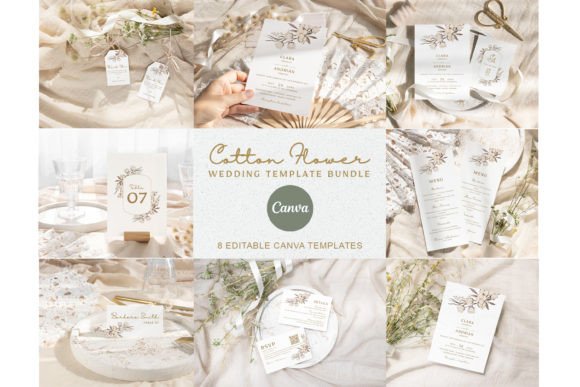
Eight coordinated wedding pieces
Wedding Invitation Canva Template Set
By elsabenaa · Creative Fabrica
A soft cotton-flower stationery direction for a coordinated invitation, reception menu and smaller wedding details.
The listing describes PDF access to eight Canva templates: invitation, table number, save the date, details, RSVP, favor tag, place card and menu. Sizes range from a 2 × 3.5 inch tag to a 4 × 9 inch menu.
File & software checks
The creator describes free Canva support. Check current access, template elements and whether the 3.5 × 2 inch place card is a flat design or includes a folded layout. No printed stationery is included.
An evergreen visual direction
Eucalyptus Collection
By HappyWatercolorShop · Creative Fabrica
Greenery artwork to explore for understated cards, wedding details and botanical favor tags.
The listing presents a botanical collection with PNG elements and arrangements.
File & software checks
Check actual pixel dimensions, transparency and included arrangements. Artwork needs a layout editor; it is not a ready-to-edit Canva card.
Keep the useful part. Make the rest your own.
How we prepare our digital guides