Wedding favor tag wording works best when you decide what the tag needs to say before choosing a font. A small floral design can comfortably carry a greeting, names and perhaps a date, but a long thank-you paragraph competes with the decoration. Start with one sentence that matters and remove anything your guests already know.
Below are original wording ideas and a digital layout exercise. You can prepare the file without owning a printer; physical finishing is a separate step.
Choose the message before the decoration
A tag may thank a guest, identify a favor or carry a personal name. Pick one main job. If the favor already has an ingredient or care label, keep that practical information on its own label rather than squeezing it into decorative lettering.
| Available space | Wording to adapt | Supporting line |
|---|---|---|
| One main line | A little keepsake from our day | Maya & Oliver |
| Two short lines | Your place in our story / means so much | Maya & Oliver |
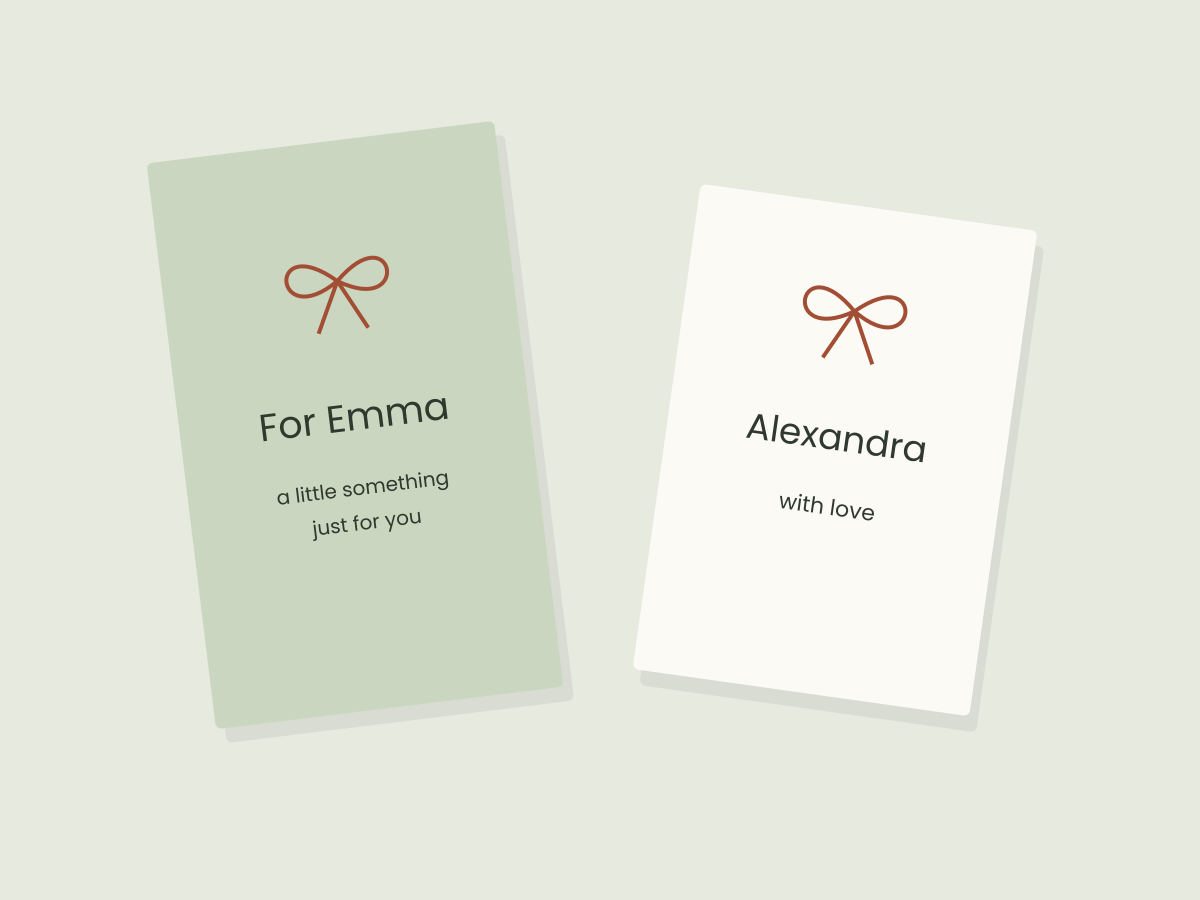
| A tiny name-first tag | Saved especially for you | Alexandra |
| A warm, informal note | Take a little of the celebration home | With love, Maya & Oliver |
| A minimal design | A small thank-you, with all our love | June 12, 2027 |
| A shared gift for a household | For the lovely people at your table | Maya & Oliver |
These are starting points, not mandatory etiquette. Replace names and dates with your own details. If the event has not happened yet, avoid a line that thanks someone for a specific moment you cannot know will occur.
Build a three-part hierarchy
Give the greeting the clearest position, then add the couple’s names and a smaller date only if it earns its space. Try this first draft:
A little keepsake from our day
Maya & Oliver
June 12, 2027
Now make a shorter version without the date. Compare both at the intended tag proportions. If the date forces the names into cramped lettering, keep it for a larger card in your coordinated stationery set.
Decorative script can work for the names while a simple typeface handles the message. Avoid making all three lines equally ornate. Our font-pairing guide explains how to give each line a different job.
Compare a narrow tag with a wider tag
The Blue Rose listing below describes a 2 × 3.5 inch Canva tag; the Floral Wedding Favor Tag listing describes a 3.5 × 2 inch design. Similar measurements do not guarantee the same editable text area. The orientation, flowers and hole area change the space available for words.
For a narrow design, try a short greeting stacked above the names. For a wider layout, try the names on one line and a short message beneath. Do not assume rotating a template automatically rearranges its artwork.
Both are listing-based suggestions, not templates we have downloaded. Check the access instructions and which elements are editable before choosing one.
Test the awkward version first
Use your longest actual names, not just a short placeholder. A useful stress test is “Alexandra & Christopher.” Check whether the ampersand looks distinct, whether a name breaks at an odd point and whether the text crowds the flowers.
- Keep a clean copy of the starting design.
- Replace every sample name and date, including text on a second page.
- Move the essential wording away from the edge and any planned hole.
- Export one sample and reopen it to compare line breaks with the editor.
- Save the checked version before duplicating it for different guests.
There is no universal safe margin for every hole, tag shape and print service. Get the finishing requirements before declaring a file ready for production.
Keep the final file easy to recognize
Use a name such as maya-oliver-favor-tag-approved.pdf and keep the editable design separately. If you need both personal names and a generic version, put them in different folders so an old sample is not sent by mistake.
For a first practice layout, use our original free tag sheet. For help understanding what a template link opens, read how to choose an editable Canva tag.
Files to explore for this project
Affiliate links: if you purchase through these links, we may earn a commission. How this works
Selected from the creators’ listing descriptions, checked October 22–23, 2026. We have not downloaded or hands-on tested these products. Product images below are previews from the creators’ listings. They may show physical styling props; the linked products are digital downloads. Check current access terms and the license on Creative Fabrica.
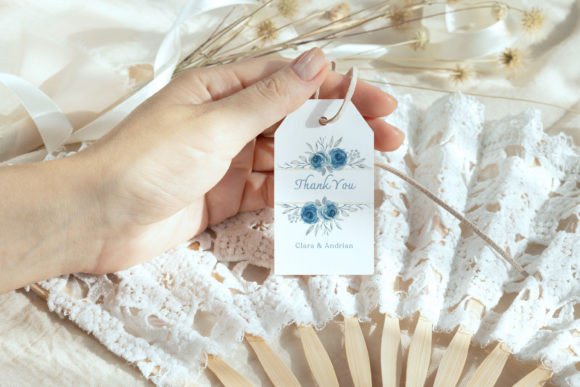
A blue floral favor tag
Watercolor Blue Rose Wedding Favor Tag
By elsabenaa · Creative Fabrica
A narrow thank-you tag with blue roses, suited to a short wedding message and the couple’s names.
The creator describes a 2 × 3.5 inch editable Canva favor tag and support for a free Canva account.
File & software checks
Confirm which visual elements are editable and how the template link is delivered. The styled ribbon and paper in the preview are not included. Allow space for any later hole or trimming.
Botanical Canva template
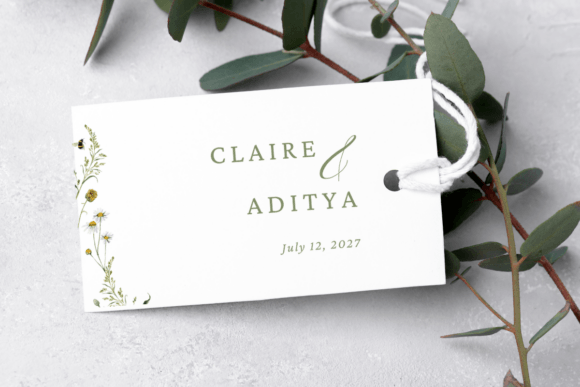
Floral Wedding Favor Tag Template
By Azhartpaper · Creative Fabrica
A delicate floral tag for wedding favors, with sage lettering and space for names and a date.
A 3.5 × 2 inch template accessed through a PDF containing the Canva link. The listing describes editable text and the option to add your own images.
File & software checks
Designed for wedding favors. Confirm whether the floral artwork can be changed and whether your chosen elements require Canva Pro. No physical tags are shipped.
Keep the useful part. Make the rest your own.
How we prepare our digital guides